
Putting a Python venv in iCloud Drive looks harmless until the sync queue explodes. A small project can turn into tens of thousands of files after python -m venv .venv and pip install. iCloud Drive then tries to watch, upload, deduplicate, index, and reconcile a directory tree that was never meant to be cloud-synced. The result is familiar: bird burns CPU, Finder shows files stuck uploading, your Mac gets loud, and a virtual environment that should be disposable starts acting like precious data.
Python venv in iCloud Drive: why it punishes sync tools
A Python virtual environment is not just a folder with a few settings. It is a local runtime sandbox. Depending on your Python version, package manager, and installed libraries, .venv/ may contain an interpreter shim, activation scripts, metadata directories, compiled bytecode, package source trees, native extension modules, command-line entry points, and dependency metadata under site-packages. Scientific or ML projects can add large binary wheels. Web projects can add dozens of packages that each bring their own metadata and tests.
That structure is good for isolation. It is bad for generic file synchronization. iCloud Drive handles normal documents well because those folders change at human speed: a Pages file here, a PDF there, a screenshot now and then. A virtual environment changes at package-manager speed. One pip install may create, modify, or delete thousands of tiny files in a few seconds. Every one of those filesystem events can trigger more work for the sync engine.
The same rule applies whether you use venv, virtualenv, Poetry, Pipenv, Hatch, Rye, or uv. The exact files differ, but the sync problem is the same: generated dependency trees create far more churn than your application code.
What happens when iCloud Drive syncs a Python virtual environment
When your project lives inside ~/Library/Mobile Documents/com~apple~CloudDocs/ or the visible ~/iCloud Drive location, iCloud Drive's file provider layer sees the whole project. It does not know that .venv/ is disposable. It sees files. If a package install writes requests/__init__.py, urllib3/poolmanager.py, a compiled .so file, a console script, and metadata in *.dist-info/, iCloud treats each item as something to track.
The pain gets worse because virtual environments are often machine-specific. A venv created on one Mac may contain absolute paths in activation scripts, console entry points, or package metadata. Native wheels may target the current Python version, CPU architecture, or macOS deployment target. Syncing that folder to another Mac does not guarantee a working environment. It can create the illusion of portability while carrying stale local assumptions.

How to check if .venv is causing iCloud sync problems
Start with the obvious question: is your project actually inside iCloud Drive? In Terminal, run pwd from the project root. If the path includes CloudDocs or points to the iCloud Drive folder, every child directory is a candidate for sync churn.
pwd

# Common iCloud-backed path:
# /Users/you/Library/Mobile Documents/com~apple~CloudDocs/Developer/my-api
Next, measure the virtual environment. File count matters more than size, so check both:
du -sh .venv 2>/dev/null
find .venv -type f 2>/dev/null | wc -l
If you see thousands or tens of thousands of files, the folder is a poor fit for iCloud Drive. You can also look for active sync work by opening Activity Monitor and searching for bird, or by watching whether Finder keeps showing upload badges after package installs. Do not kill random system processes as a first response. The better fix is to stop feeding iCloud a directory tree that changes faster than it can reconcile.
Fix 1: move Python projects out of iCloud Drive
The cleanest solution is also the least clever: keep active code outside iCloud Drive. Use a local developer folder such as ~/Developer, ~/Code, or ~/Projects. Keep iCloud Drive for documents. Keep code in Git. Use a separate filtered backup for the working tree if you want a local mirror.
mkdir -p ~/Developer
mv ~/Library/Mobile\ Documents/com~apple~CloudDocs/Developer/my-api ~/Developer/my-api
After moving, rebuild the virtual environment locally:
cd ~/Developer/my-api
rm -rf .venv
python3 -m venv .venv
source .venv/bin/activate
pip install -r requirements.txt
For Poetry, uv, or Pipenv, use the lockfile-aware command your project expects:
poetry install
uv sync
pipenv install --dev
This approach has one tradeoff: iCloud no longer gives you an automatic copy of the project. That is fine if your source is in Git and your backups are handled intentionally. It is dangerous only if iCloud was your only backup. Replace accidental sync with a deliberate workflow.
Fix 2: keep source in iCloud, but put the venv outside
If you insist on storing the project folder in iCloud Drive, keep the virtual environment outside the synced tree. For plain venv, create the environment in a local cache directory and activate it from there:
mkdir -p ~/.venvs
python3 -m venv ~/.venvs/my-api
source ~/.venvs/my-api/bin/activate
pip install -r requirements.txt
Your source stays where you put it, but site-packages no longer floods iCloud. The downside is discoverability. A future you, a teammate, or an editor integration may expect .venv in the project root. Document the environment path in README.md and configure your editor explicitly.
Poetry can manage virtual environments outside the project by default. If you previously enabled in-project venvs, disable that setting for iCloud-backed projects:
poetry config virtualenvs.in-project false
poetry install
For uv, many teams like the local .venv convention because it is fast and predictable. That is fine in ~/Developer. Inside iCloud Drive, it is a sync tax. Prefer moving the project out of iCloud rather than fighting the tool.
Fix 3: use .nosync carefully for rebuildable Python state
macOS and iCloud Drive have historically treated names containing .nosync as a hint that content should not sync. Some developers rename heavy folders to patterns such as .venv.nosync and then point tools at that path. This can reduce churn, but it is not a portable project convention and should not be your only safety mechanism.
python3 -m venv .venv.nosync
source .venv.nosync/bin/activate
pip install -r requirements.txt
The risk is that tools, teammates, and documentation usually expect .venv. You can work around that with editor settings, but the setup becomes less standard. Also, do not rely on .nosync as a general-purpose backup policy. Test it on your macOS version before trusting it, and assume that a future system update could change edge-case behavior.
Fix 4: sync a clean project copy with exclusions
A better developer backup mirrors the files that define the project and skips the files that package managers can recreate. With rsync, that means an exclude file:
# ~/.config/python-project-sync-excludes.txt
.venv/
venv/
__pycache__/
.pytest_cache/
.mypy_cache/
.ruff_cache/
.tox/
.nox/
dist/
build/
*.egg-info/
.DS_Store
rsync -avn --delete \
--exclude-from ~/.config/python-project-sync-excludes.txt \
~/Developer/my-api/ /Volumes/Backup/my-api/The -n dry run matters. Review what would copy before you remove the safety. When it looks right, run the real mirror:
rsync -av --delete \
  --exclude-from ~/.config/python-project-sync-excludes.txt \
  ~/Developer/my-api/ /Volumes/Backup/my-api/
This gives you a clean restore path: copy the backup, create a new virtual environment, install from the lockfile or requirements file, and run the tests. You did not preserve the venv. You preserved the recipe for the venv, which is usually what you actually need.
app/, tests/, pyproject.toml, requirements.txt, lockfiles, migrations, scripts, docs, and configuration examples.
.venv/, __pycache__/, test caches, type-checker caches, build output, wheels, and local editor state.
Where Lsyncer fits for Python developer folder sync
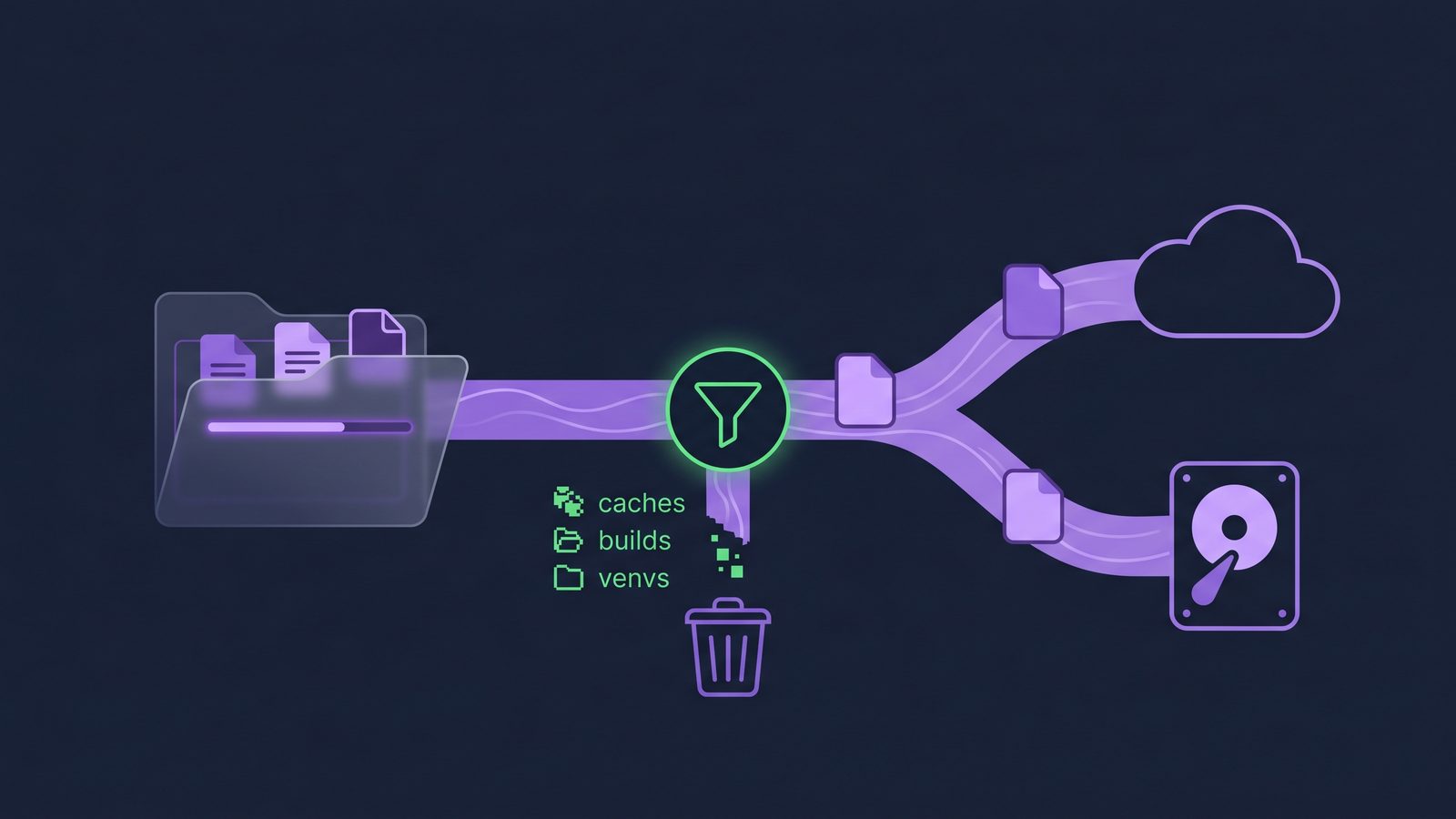
If you are comfortable maintaining rsync scripts, keep using them. The important point is the exclusion model. Once you want scheduled runs, visible status, notifications, and a native Mac interface, Lsyncer is built around the same idea: sync developer folders while skipping dependency folders, VCS internals, build output, and caches.
For a Python project, that means you can mirror ~/Developer/my-api to an external drive or another local destination without copying .venv, __pycache__, .pytest_cache, dist, and other generated state. It is not a replacement for Git, package lockfiles, or Time Machine. It is a filtered folder sync utility for the part of your workflow where generic cloud sync is too blunt.
Lsyncer is a one-time $19.99 Mac App Store purchase. That pricing matters because folder sync is infrastructure, not a dashboard you want to rent forever. If your current setup is a pile of shell scripts and calendar reminders, a focused Mac app can be easier to trust.
Python project backup checklist
- Keep active projects in a local folder such as
~/Developerwhen possible. - Use Git for source history and a remote Git host for collaboration.
- Commit dependency definitions:
pyproject.toml,requirements.txt,poetry.lock,uv.lock, or equivalent. - Do not sync
.venv/unless you have a rare reason to preserve a local runtime snapshot. - Exclude Python caches:
__pycache__/,.pytest_cache/,.mypy_cache/,.ruff_cache/,.tox/, and.nox/. - Test restore from the synced copy: create a fresh venv, install dependencies, and run the test suite.
The restore test is the best truth serum. If a clean copy can run after python3 -m venv .venv and a lockfile install, your backup contains the right data. If it only works because you dragged along a stale environment folder, the backup is more fragile than it looks.
Related reading
- How to stop iCloud from syncing certain folders on Mac covers iCloud-safe layouts and folder exclusion workarounds.
- FreeFileSync exclude folders on Mac gives reusable patterns for skipping
.venv,node_modules, caches, and build output. - iCloud sync too slow on Mac explains how developer file churn backs up the sync queue.
- Best rsync alternative for Mac developers compares scripts with native filtered sync tools.
FAQ
Should I put a Python venv in iCloud Drive?
Usually no. A Python venv is rebuildable local state with many tiny files and sometimes machine-specific paths or native binaries. Store the project source and dependency files, then recreate the venv on each Mac.
Why does iCloud Drive get slow after pip install?
pip install can create or modify thousands of files under site-packages. If that folder is inside iCloud Drive, the sync engine has to process each change. File count and churn are the expensive parts.
What Python folders should I exclude from folder sync?
Start with .venv/, venv/, __pycache__/, .pytest_cache/, .mypy_cache/, .ruff_cache/, .tox/, .nox/, dist/, build/, and *.egg-info/. Review project-specific folders before deleting or excluding anything.
Is .venv.nosync a good fix?
It can be a practical workaround for some local setups, but it is less standard than keeping projects outside iCloud Drive or placing virtual environments in a local cache directory. Test it before relying on it.
Do I still need backups if my Python code is in Git?
Yes. Git protects committed source history. It may not include local configuration, uncommitted work, generated reports, SQLite fixtures, or non-code assets. Use Git plus a tested backup or filtered folder sync workflow.