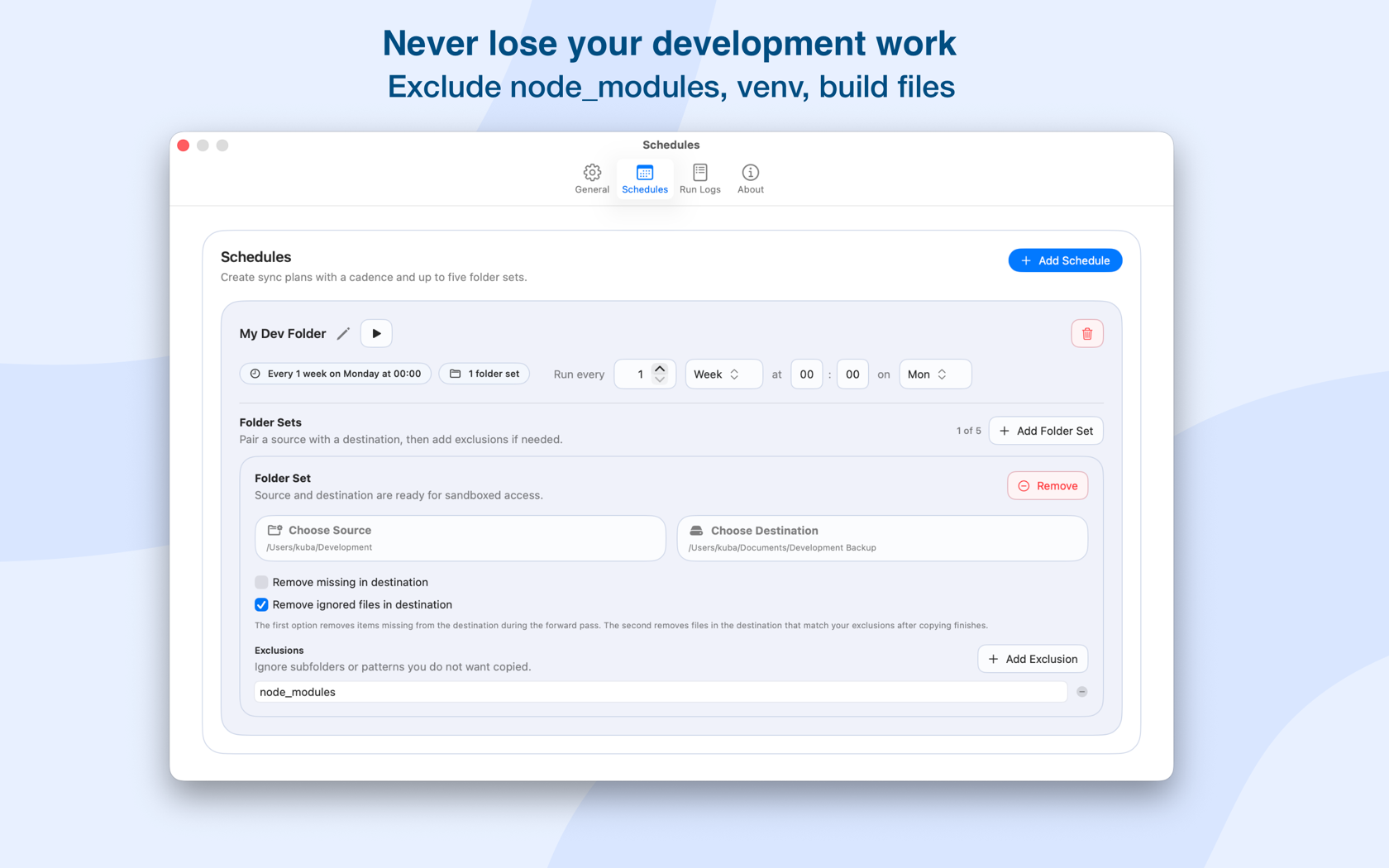
Skip node_modules, .git, venv, build output, and caches by default. Add your own rules in seconds.
 LSyncer
macOS folder sync for developers
Stop iCloud from choking on your code.
iCloud Drive wasn't built for development. It tries to sync every file in node_modules, .git, and build caches — thousands of tiny files that freeze your Mac. Lsyncer replaces that with fast, local sync that understands how real projects work.
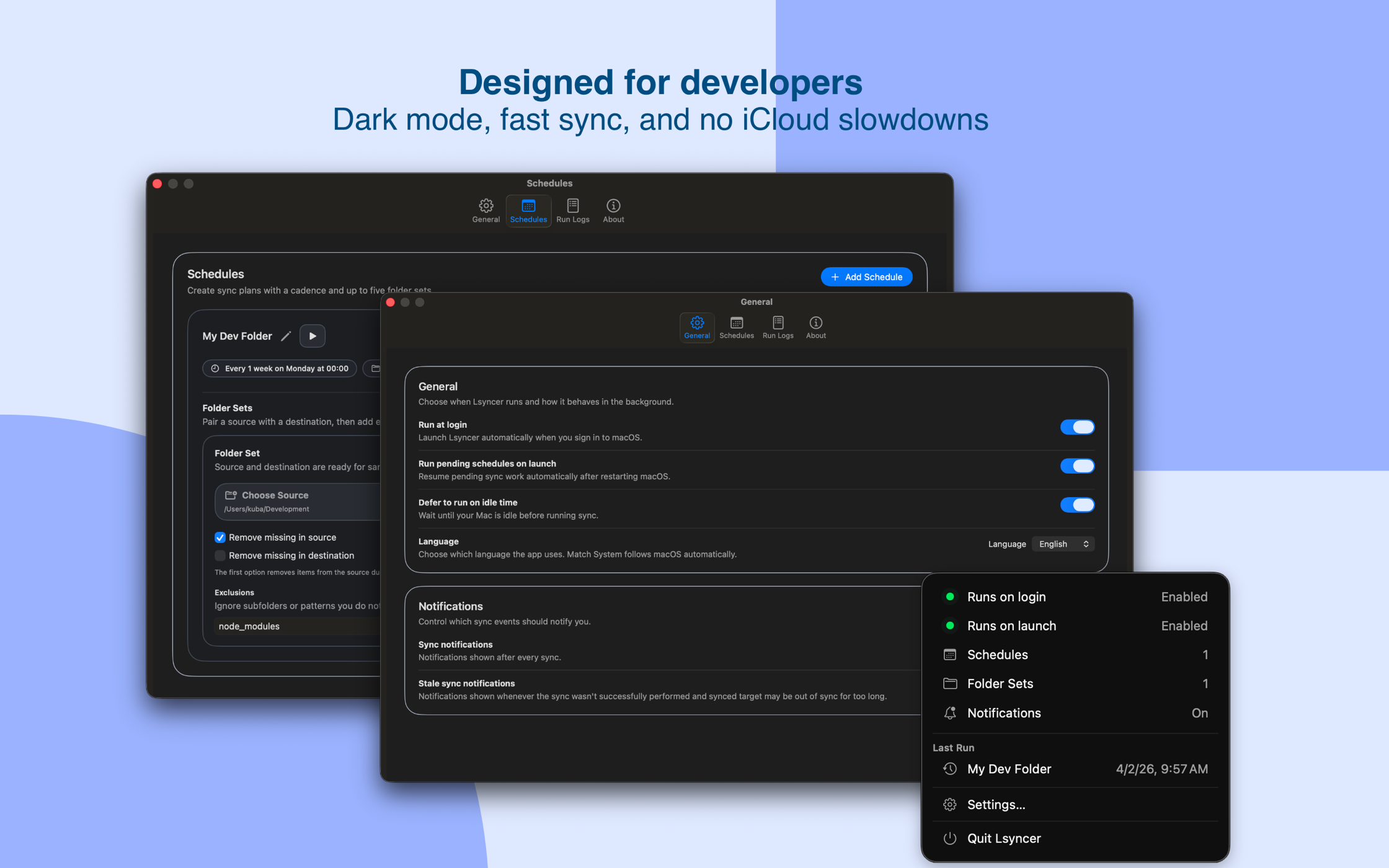
Why your Mac freezes during development.
Tools like iCloud Drive watch every file in your project. When npm installs a package, it creates thousands of files in node_modules — and iCloud tries to sync each one. The result: your Mac grinds to a halt, fans spin up, and you lose hours waiting.
The macOS sync tool that doesn't choke on node_modules. Fast, local, built for code.
- iCloud syncs every tiny file in node_modules individually
- Build caches and .git objects create constant sync churn
- No way to exclude folders — iCloud treats everything the same
- LSyncer skips what doesn't need syncing, syncs what does
Fast, controlled sync for real projects.
No subscriptions. No cloud servers. No mystery sync conflicts. Just a native macOS app that does one thing well.
Optimized for the file-heavy structure of real codebases. No slowdown, no beachball, no waiting.
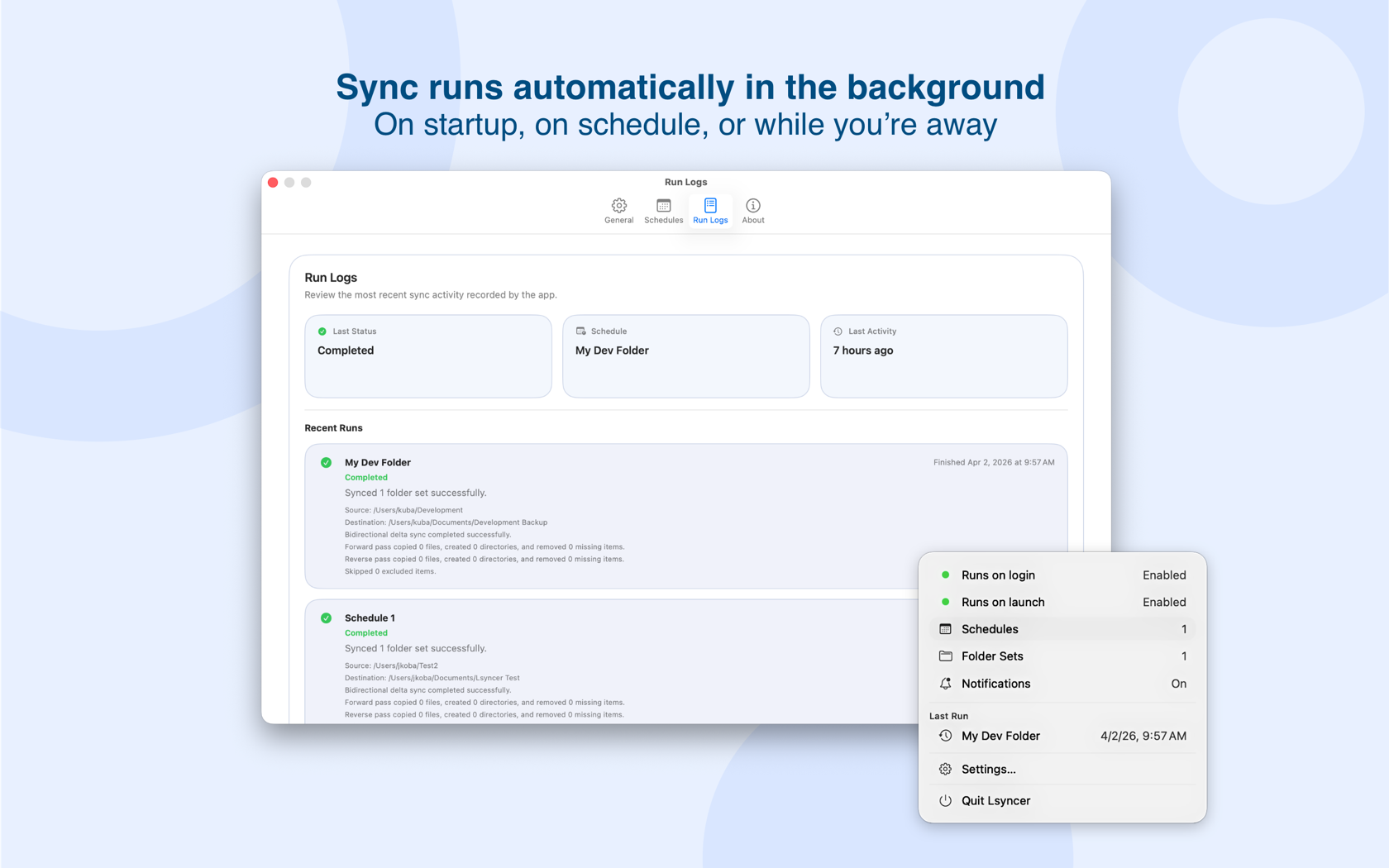
Run on startup, on a schedule, or while you're away. Keep backups current without thinking about it.
See exactly what synced, what failed, and when. Get notified when something needs attention — not silently broken.
$19.99, no subscription. Buy once, use forever. Updates included.
See what's syncing. Know what's not.
LSyncer surfaces the details that matter — so you never assume a folder is in sync when it isn't.
Catch sync failures immediately
Failures are visible right away. No more discovering a stale backup weeks later when you actually need it.
Spot stale folders at a glance
See when each folder last synced. If a schedule missed a run or a destination drifted, you'll know.
Exclude what doesn't belong
node_modules, .git, build folders, caches — keep them out of your sync with built-in rules or your own patterns.
What developers use it for.
LSyncer handles the everyday sync jobs that generic tools make painful.
- Keep a clean backup of projects without syncing node_modules or build artifacts
- Sync work between folders, external drives, or cloud destinations — on your terms
- Maintain a lean iCloud copy of your code without the sync freeze
- Replace fragile rsync scripts with a native macOS GUI
Local by default. Private by design.
Your files never leave your Mac unless you choose a remote destination. No analytics, no tracking, no accounts.
LSyncer works entirely on your device. Core sync happens between folders you choose — no external servers involved.
No telemetry, no usage stats, no third-party SDKs. The app does its job and stays out of your way.
You pick the folders, you set the rules, you choose the schedule. Background sync is off by default.