

Searching for Box Drive exclude folder Mac usually means one thing: you have a developer project inside a Box-backed location, and the sync client is spending more time on node_modules/, virtual environments, build caches, or generated files than on the code you actually care about.
Box Drive exclude folder Mac: the developer-folder problem
Box Drive is convenient for documents, shared team assets, PDFs, contracts, design exports, and other files where the cloud copy is the source of truth. It is less comfortable when an active codebase lives inside the same sync boundary. A modern web app can turn one checkout into tens of thousands of small files after npm install. A Python project can do the same with .venv/. Ruby, Rust, Java, and frontend build tools add their own caches and output directories.
The hard part is not just storage size. It is file count, metadata churn, and watch events. A single 800 MB video file is boring for a sync tool. A 400 MB dependency tree made of 70,000 tiny files is noisy: every path needs to be discovered, checked, uploaded or skipped, indexed, and reconciled. If those files keep changing while your build tool is running, the queue never feels finished.
That distinction matters because many developers ask whether Box Drive can exclude a folder on Mac in the same way rsync, Syncthing, or a developer-focused sync app can. For code projects, the better question is: what files should Box see at all? The safest workflow is to make Box receive a clean, recoverable copy instead of your hot working tree.
Why Box Drive struggles with node_modules and build caches
Developer folders are a mixed workload. Some files are durable intent: src/, package.json, package-lock.json, pyproject.toml, README.md, migration files, scripts, docs, and hand-written configuration. Other files are disposable state: node_modules/, .next/cache/, dist/, build/, .venv/, __pycache__/, vendor/bundle/, target/, coverage reports, and test caches.
A cloud drive sees both classes as ordinary files. It cannot infer that node_modules/.pnpm/@types+react@... can be recreated from a lockfile, or that .pytest_cache/ is not worth transferring to a teammate. It just observes filesystem changes and tries to keep the cloud state consistent with the local state.
Fix 1: move active code outside Box Drive
The most reliable fix is also the least clever: keep active repositories in a local folder such as ~/Developer, ~/Code, or ~/Projects, not under a Box Drive location. Work from the local SSD. Let Git handle source history. Let package managers create dependencies locally. Then send a filtered copy to Box when you want backup or handoff.
This avoids three failure modes at once. First, Box Drive does not need to observe every package-manager write. Second, your editor and test runner are not competing with a cloud client for the same hot tree. Third, deleting a rebuildable folder locally does not become a cloud sync event you have to reason about later.
mkdir -p ~/Developer
mv ~/Library/CloudStorage/Box-Box/Projects/my-app ~/Developer/my-app
cd ~/Developer/my-app
npm ci
npm test
Use a Git remote for code history before moving anything important. If the project has local-only work, commit it or create a temporary patch. If the Box copy is shared with other people, coordinate the move so nobody assumes the old cloud folder is still the live project.

Fix 2: create a filtered Box copy with rsync
If you want Box to hold a restorable project snapshot, stage that snapshot deliberately. On macOS, rsync is still the simplest way to copy only the files that matter. Start with a dry run so you can see what would change before touching the destination.
mkdir -p "$HOME/Library/CloudStorage/Box-Box/Developer Backups/my-app"
rsync -avhn --delete \
  --exclude 'node_modules/' \
  --exclude '.git/' \
  --exclude '.next/' \
  --exclude '.nuxt/' \
  --exclude 'dist/' \
  --exclude 'build/' \
  --exclude 'coverage/' \
  --exclude '.venv/' \
  --exclude 'venv/' \
  --exclude '__pycache__/' \
  --exclude '.pytest_cache/' \
  --exclude '.mypy_cache/' \
  --exclude '.ruff_cache/' \
  --exclude 'vendor/bundle/' \
  --exclude 'target/' \
  --exclude '.gradle/' \
  --exclude '.DS_Store' \
  ~/Developer/my-app/ \
  "$HOME/Library/CloudStorage/Box-Box/Developer Backups/my-app/"
Read the output. You should see source files, docs, lockfiles, migrations, scripts, and assets. You should not see dependency trees or generated build output. If the dry run looks right, remove the n from -avhn and run the real copy:
rsync -avh --delete \
  --exclude 'node_modules/' \
  --exclude '.git/' \
  --exclude '.next/' \
  --exclude 'dist/' \
  --exclude 'build/' \
  --exclude 'coverage/' \
  --exclude '.venv/' \
  --exclude 'venv/' \
  --exclude '__pycache__/' \
  ~/Developer/my-app/ \
  "$HOME/Library/CloudStorage/Box-Box/Developer Backups/my-app/"
The trailing slashes are intentional. ~/Developer/my-app/ copies the contents of the folder into the destination. Without the trailing slash, you can accidentally create an extra nested my-app folder. Keep the first run small until your muscle memory is solid.
Fix 3: use an exclude file for repeatable project backups
For more than one project, do not paste a dozen --exclude flags into every command. Put the rules in one file and version it somewhere you can inspect later.
mkdir -p ~/.config
cat > ~/.config/dev-sync-excludes.txt <<'EOF'
node_modules/
.git/
.next/
.nuxt/
dist/
build/
coverage/
.venv/
venv/
__pycache__/
.pytest_cache/
.mypy_cache/
.ruff_cache/
vendor/bundle/
target/
.gradle/
.DS_Store
EOF
Then reuse it:
rsync -avhn --delete \
  --exclude-from="$HOME/.config/dev-sync-excludes.txt" \
  ~/Developer/my-app/ \
  "$HOME/Library/CloudStorage/Box-Box/Developer Backups/my-app/"
This makes your Box backup workflow easier to review. When a new stack appears, add its generated folders once: .turbo/, .svelte-kit/, .parcel-cache/, tmp/cache/, or whatever your tools create. The goal is not to exclude everything hidden. It is to exclude rebuildable noise while keeping files that explain the project.
src/, tests, docs, scripts, lockfiles, config, migrations, small fixtures, and project notes.
node_modules/, virtual environments, caches, build output, coverage, package-manager stores, and OS metadata.
Fix 4: restore-test the Box copy
A backup that has never been restored is a guess. After your first filtered copy lands in Box, test it in a scratch folder outside the original project. This catches missing hand-written files and confirms that excluded folders are truly rebuildable.
mkdir -p ~/RestoreTest
rsync -avh "$HOME/Library/CloudStorage/Box-Box/Developer Backups/my-app/" ~/RestoreTest/my-app/
cd ~/RestoreTest/my-app
npm ci
npm test
For Python projects, the restore command might be python -m venv .venv followed by pip install -r requirements.txt. For Ruby, it might be bundle install. For Rust, cargo test. Write the restore commands in README.md so the backup is useful under stress, not just when everything is fresh in your head.
If the restore fails because a secret file is missing, that may be good: secrets often should not live in a shared cloud folder. Document the required environment variables instead. If it fails because a hand-edited config file was excluded by accident, tighten the pattern. That is why a restore test beats staring at a sync client status icon.
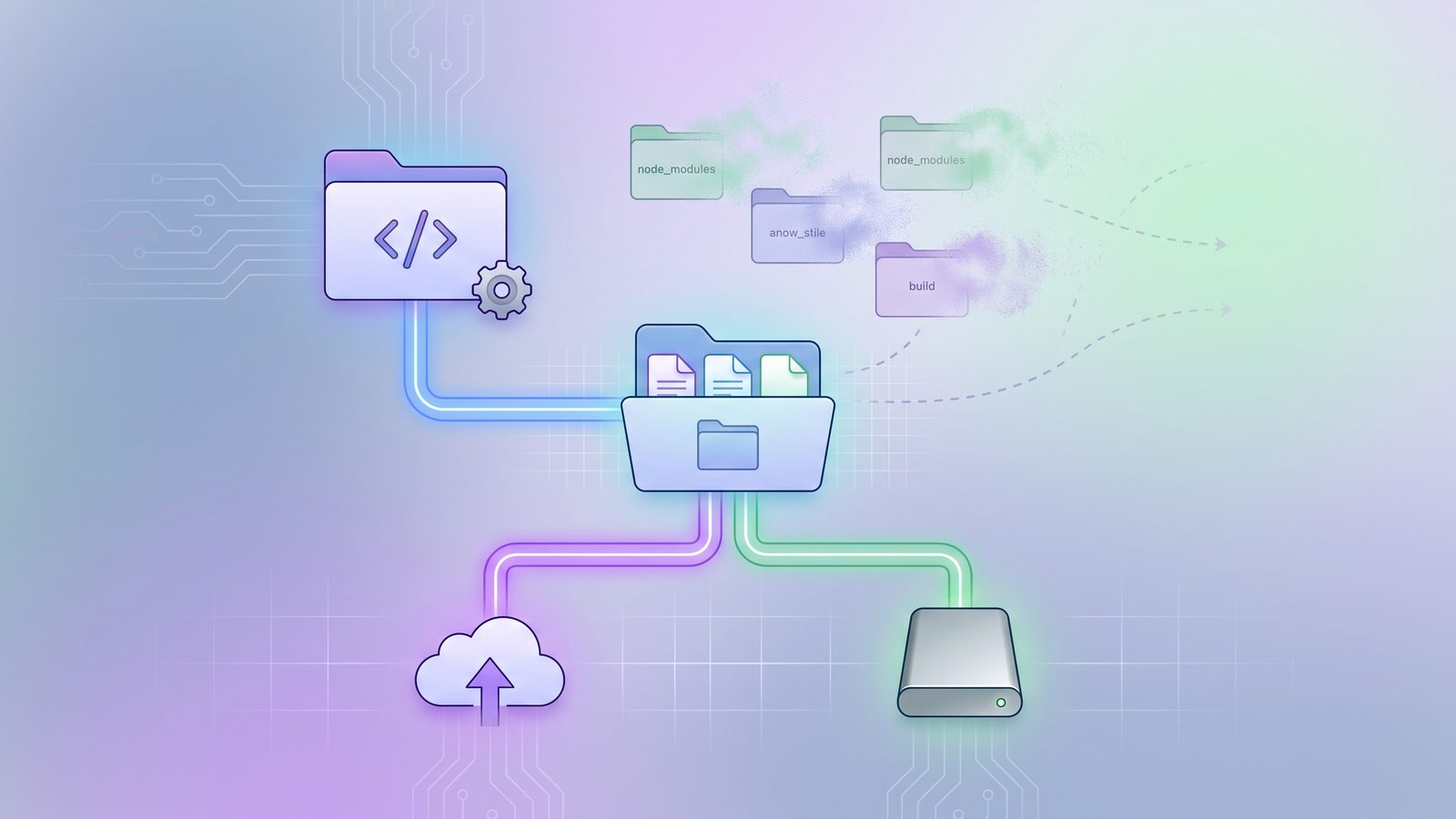
Where LSyncer fits with Box Drive
LSyncer fits when you want this filtered workflow without turning every backup into a hand-written shell command. Keep the active project on your Mac, choose a Box-backed folder as the destination, and configure a sync job that skips node_modules/, .git/, virtual environments, caches, and build output. Run it manually before a handoff or schedule it for a predictable backup rhythm.
That does not mean Box Drive is bad. It means Box Drive is a general cloud file layer, and active developer folders are a specialized workload. Use Box for the clean copy. Use Git for history. Use local installs for generated dependencies. Use a filtered sync layer when you need a repeatable bridge between those worlds. LSyncer is a $19.99 one-time purchase on the Mac App Store, with no subscription and no cloud server in the middle.
Best practices for Box Drive and Mac developers
- Do not work directly from a Box-backed project folder. Keep hot code on the local SSD.
- Keep Git as the source of history. A cloud folder is not a replacement for commits, branches, and review.
- Exclude generated folders before the first full copy. Cleaning up after a giant dependency upload is slower and riskier.
- Prefer one-way backup for project snapshots. Two-way file sync is rarely the best conflict manager for source code.
- Document restore commands. A clean project copy should become runnable with normal install and test commands.
- Watch file count, not only gigabytes. Thousands of tiny files are what make cloud sync queues feel stuck.
Related reading
- Dropbox stuck syncing node_modules on Mac — the same dependency-tree problem in Dropbox workflows.
- Google Drive exclude folder from sync on Mac — how to keep generated developer folders out of Drive-backed copies.
- OneDrive exclude folder from sync on Mac — a filtered workflow for Microsoft cloud storage users.
- rsync exclude-from Mac — reusable exclude files for clean developer backups.
FAQ
Can Box Drive exclude a folder on Mac?
For developer projects, do not rely on Box Drive as the exclusion engine for an active working tree. The safer pattern is to work outside Box Drive and copy a filtered project snapshot into a Box-backed folder with rsync or a developer-focused sync app. That gives you explicit control over folders such as node_modules/, .venv/, caches, and build output.
Should I put node_modules in Box Drive?
Usually no. node_modules/ is rebuildable from package.json and a lockfile, but it can contain tens of thousands of tiny files. Syncing it wastes time, creates noisy queues, and makes restore copies harder to reason about. Back up the lockfile and run npm ci after restoring.
Is .git safe to sync to Box?
It can be copied as files, but Git repositories are better protected with a real Git remote or a deliberate mirror. A cloud sync client does not understand repository transactions. For most teams, sync the working tree without .git/ and keep history in GitHub, GitLab, Bitbucket, or a private remote.
What should a clean Box backup of a Mac project include?
Include source, tests, docs, scripts, lockfiles, migrations, project configuration, and small hand-written assets. Exclude dependency folders, virtual environments, build output, coverage reports, caches, package-manager stores, and macOS metadata such as .DS_Store.
When is LSyncer better than an rsync script?
An rsync script is great if you like maintaining shell commands and reviewing dry runs. LSyncer is better when you want the same filtered one-way sync pattern in a native Mac app with visible status, schedules, and developer-friendly exclusions.